Singapore Passport Photo Generator
Drop photo for Singapore Passport/Visa
Pre-configured for Singapore biometric standards.
Merge, split, compress, watermark, and sign PDF files directly in your browser with zero limits.
Singapore ICA biometric standards. Generate 35x45mm photos matching all official immigration requirements.
Singapore Compliance FAQ
Singapore Passport Photo Maker — Official 35×45mm Studio
Generate biometric-ready Singapore passport photos with 100% compliance.
The Singapore government requires strict adherence to international biometric standards. Our Singapore Passport Photo Studio is pre-configured to meet these exact specifications, including the critical 35×45mm dimensions and plain white background requirements.
By using our Private Passport Photo Generator, you can avoid common rejection triggers like incorrect head centering or poor lighting. Our "Smart Biometric Alignment" ensures your eyes and chin are perfectly positioned within the official guides.
Key Requirements
- Dimensions: 35×45mm
- Background: plain white
- Expression: Neutral, both eyes open
- Glasses: Generally not permitted
- Resolution: 300 DPI minimum for print
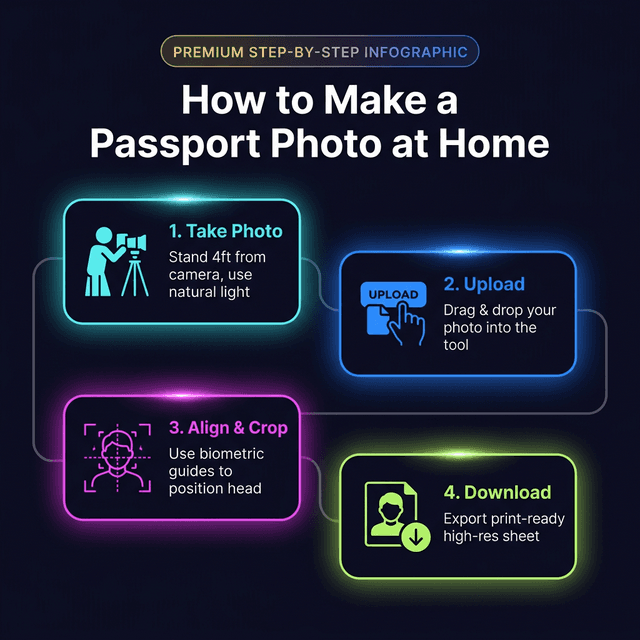
How It Works — 4 Simple Steps
- Upload: Drop your portrait into the studio above.
- Remove Background: Use our AI Background Remover for a clean, compliant backdrop.
- Align: Use the biometric guides to center your face per Singapore standards.
- Download: Export a high-res JPG for digital use or a Print Sheet for physical submission.
Expert Tips for Success
- Lighting: Use natural window light to avoid facial shadows.
- Attire: Avoid colours that match the plain white background.
- Expression: Keep a neutral expression with both eyes clearly visible.
🛠 You Might Also Need

ubify image team
We are a group of image processing enthusiasts and researchers who believe in asset sovereignty. Every tool here is built with ❤️ to give you high-fidelity results while keeping your data strictly in your control.